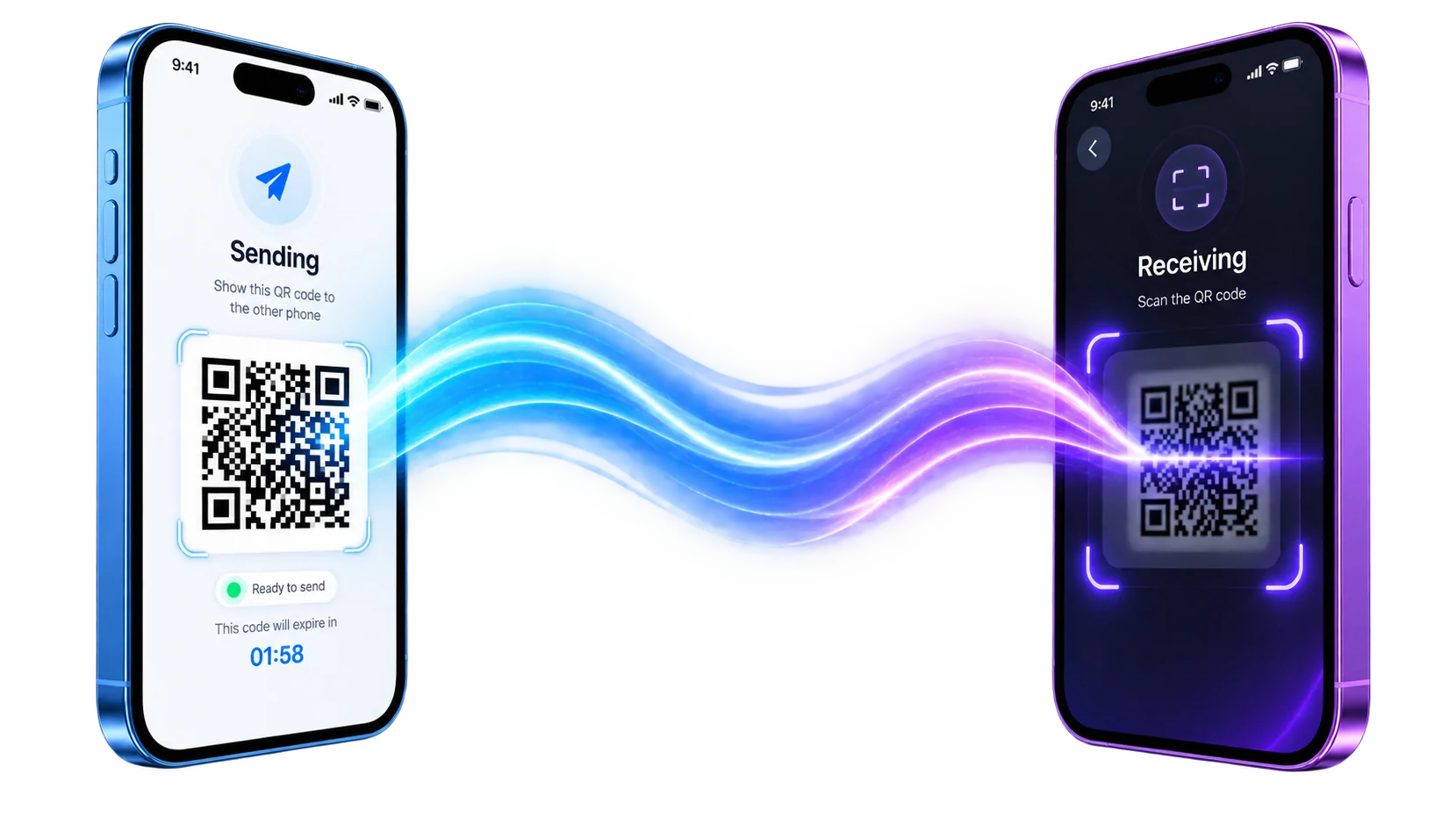
Offline file transfer
Send a file with nothing but light.
One phone turns your file into a stream of animated QR codes. The other films them and rebuilds it. No Wi-Fi, no Bluetooth, no pairing, no account, no server.
Free · Android 6.0+ and iOS 14+ · version 1.0.0
boarding-pass.pdf38 KB · 400 blocks
0% rebuilt0 of 400 blocks
- Frames decoded
- 0
- Frames missed
- 0
- Decode overhead
- 0%
- Rate at 20 fps
- 18.8 KB/s
The whole idea
Airplane mode is the supported configuration.
Every other transfer app asks a network to carry your file, then asks you to trust whoever runs it. This one asks a camera to read a screen. There is no third party in the path, because there is no path — only the few centimetres of air between two phones.
How it works
Seven steps out, seven steps back.
The order matters here, so it is worth reading in order. Each stage exists to make the next one survivable.
On the sending phone
file → frames- SHA-256Fingerprint the file before anything touches it
- gzipOnly when a 64 KB probe says it will pay off
- AES-256-GCMOptional, under a PBKDF2 passphrase
- 96-byte blocksOne fixed size for the whole transfer
- LT dropletsEach frame an XOR of a seeded set of blocks
- base458.25 bits a byte in a QR alphanumeric segment
- AnimateRasterized in an isolate pool, one draw per frame
across the air
On the receiving phone
frames → file- QR decodeML Kit, unthrottled, QR format only
- base45Back to bytes, on the UI isolate on purpose
- CRC-16Every frame checked before it is trusted
- LT peelingSolve what is solvable, hold the rest
- ReassembleBlocks back into the original byte stream
- Decrypt · inflateUndo whatever the sender applied
- SHA-256 verifyNo match, no file written
Fountain coding
A dropped frame costs time, never the file.
Frames are not chunk 1, chunk 2, chunk 3. If they were, missing one would mean waiting for the stream to come round again — and asking two people to hold two phones still for another pass.
What a frame carries
A droplet, not a chunk
Each frame is the XOR of a pseudo-random set of source blocks, identified only by a 32-bit seed that both phones expand identically. The receiver keeps collecting until it has enough information — whatever subset of frames that turns out to be.
The clean-link shortcut
Systematic prefix
The first seeds are reserved: droplet i is simply block i. On a clean link the file is complete after exactly one droplet per block, with no decoding overhead at all. Fountain droplets only fill in what was genuinely missed.
Measured overhead
What loss actually costs
Extra bytes sent over the size of the file, from the project’s own loss-tolerance harness.
Density ladder
Turn it up until the camera complains.
Block size never changes. Density changes by packing more blocks into each frame, so moving up or down the ladder mid-transfer never invalidates a half-finished decode on the other phone.
| Rung | QR version | Modules | Payload / frame | At 20 fps |
|---|---|---|---|---|
| 0 | V10-M | 57 × 57 | 192 B | 3.8 KB/s |
| 1 | V14-M | 73 × 73 | 288 B | 5.6 KB/s |
| 2 | V18-M | 89 × 89 | 480 B | 9.4 KB/s |
| 3Default | V22-L | 105 × 105 | 960 B | 18.8 KB/s |
| 4 | V26-L | 121 × 121 | 1248 B | 24.4 KB/s |
| 5 | V30-L | 137 × 137 | 1632 B | 31.9 KB/s |
| 6 | V35-L | 157 × 157 | 2208 B | 43.1 KB/s |
| 7 | V40-L | 177 × 177 | 2784 B | 54.4 KB/s |
Security & privacy
Privacy that is structural, not promised.
Most apps ask you to believe a policy. This one is arranged so the policy has nothing to enforce.
In transit
Optional AES-256-GCM
Seal the payload under a PBKDF2 passphrase before it is split into blocks. Anyone filming the screen over your shoulder gets ciphertext, and the passphrase never travels with it.
On arrival
Verified, or not written
Every frame carries a CRC-16 that is checked on arrival, and the rebuilt file has to match the SHA-256 the sender computed before it is saved. A file that does not verify never reaches your storage.
Everywhere else
Nothing to breach
There is no account, no upload endpoint and no server-side record of a transfer, because there is no server in the path. The only network call the app makes is a small version-policy check on launch.
Technology Used
Everything, in one page.
Transport
- Medium
- Screen to camera, visible light
- Encoding
- base45 in a QR alphanumeric segment
- Erasure code
- LT fountain codes with a systematic prefix
- Block size
- 96 bytes, fixed for the whole transfer
- Frame rate
- 1–30 fps, set by the sender
- Throughput
- ≈4 KB/s to 55 KB/s of file payload
Integrity
- Per frame
- CRC-16
- Per file
- SHA-256, verified before writing
- Encryption
- AES-256-GCM, optional
- Key derivation
- PBKDF2 from a passphrase
- Compression
- gzip, skipped when it will not pay
Devices
- Android
- 6.0 and later
- iOS
- 14 and later
- Permissions
- Camera, to receive. None, to send.
- Network
- Not used for transfers
- Multi-file
- Zipped into one archive with a manifest
Build
- Version
- 1.0.0
- Released
- August 21, 2026
- Barcode decoder
- ML Kit, bundled rather than fetched
- Saved to
- LightSpeed/ in app storage
- Price
- Free
FAQ
Questions people actually ask.
Does QR File Sender need Wi-Fi, mobile data or Bluetooth?
No. The file travels as light between one phone screen and another phone camera. There is no radio, no pairing, no hotspot and no account. Both phones can be in airplane mode for the whole transfer.
Do my files get uploaded to a server?
Never. Nothing about a transfer leaves the two devices. The app has no upload path, no cloud storage and no transfer history on any server — the only network call it ever makes is a small version-policy check on launch.
How fast is it?
Between roughly 4 KB/s and 55 KB/s of file payload, depending on the density rung and frame rate you pick and on what the receiving camera can actually decode. It is built for documents, keys, photos and small archives — not for moving a film.
What happens if the camera misses a frame?
Nothing breaks. Every frame is a fountain-coded droplet rather than a numbered chunk, so a dropped frame costs a little time and never correctness. The receiver simply keeps collecting until it has enough information, whichever frames those turn out to be.
Can someone filming the screen steal my file?
Turn on encryption and they get ciphertext. Payloads can be sealed with AES-256-GCM under a PBKDF2 passphrase before they are ever split into frames, so the light carries nothing readable without the passphrase.
How does the receiver know the file arrived intact?
The sender hashes the file with SHA-256 before sending and the receiver recomputes that hash after reassembly. A file is only written to storage if the two hashes match, and every individual frame carries a CRC-16 that is checked on arrival.
Can I send more than one file at a time?
Yes. A multi-file selection is zipped into a single archive with one manifest and sent as one stream, so there is no gap where you have to stop and re-aim the camera.
Which devices are supported?
Android 6.0 and later, and iOS 14 and later. Camera permission is required to receive; sending needs no permissions at all.
Get the app
Two phones. That is the setup.
Install it on both, pick a file on one, point the other at the screen. Nothing to configure, nothing to sign in to.
FreeNo accountNo ads in transfersVersion 1.0.0